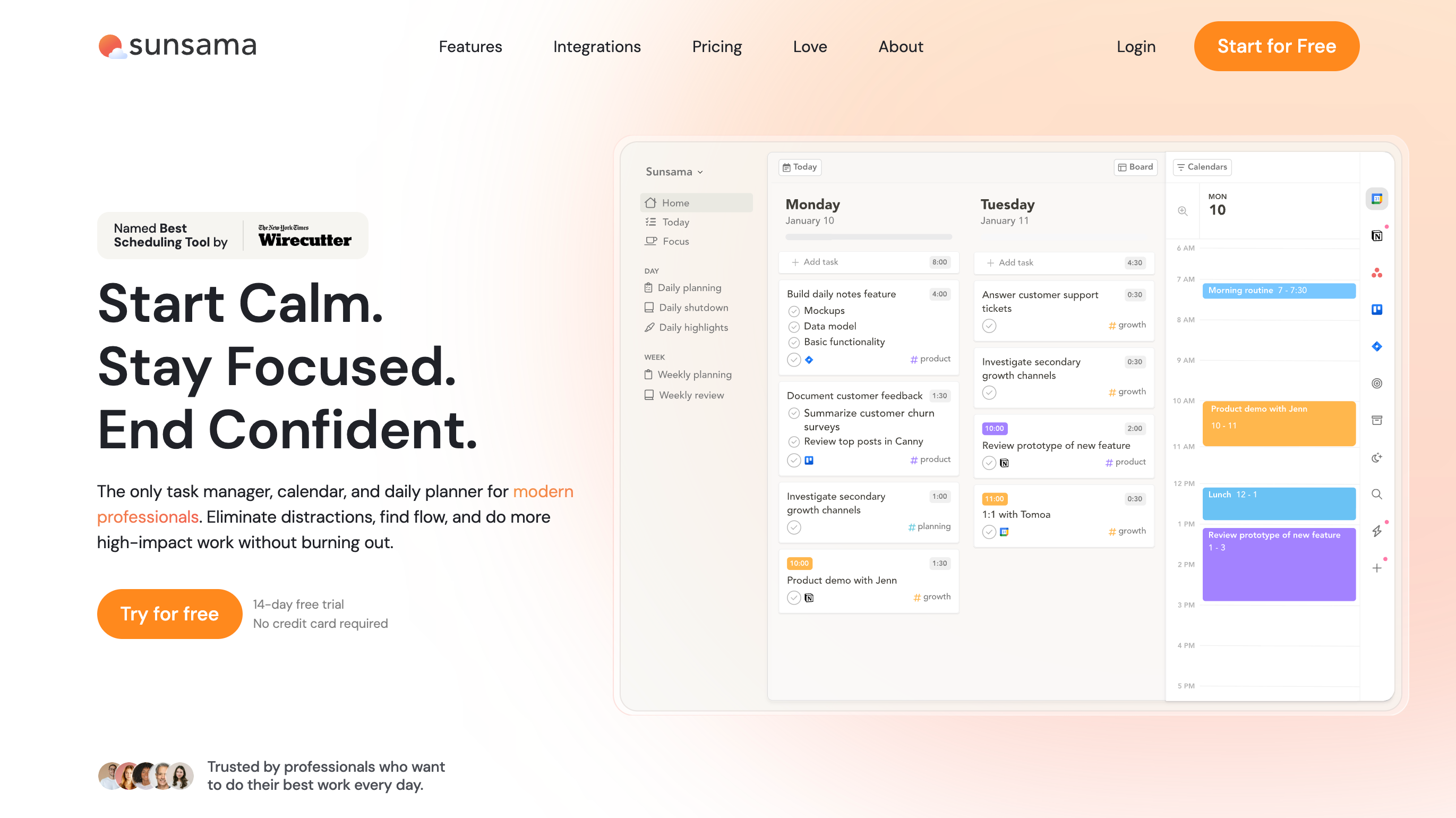
If you’ve ever felt like your calendar was running your life instead of the other way around, you’re not alone. Most scheduling tools are great at booking meetings. But what about managing your actual work around them? That’s where Sunsama steps in. It’s marketed as a “daily planner for busy professionals” — but really, it’s a workflow hub that blends scheduling, task management, and focus-building into one place.
Why Sunsama Exists
Professionals are drowning in fragmented tools. A calendar here, tasks in another app, project notes in yet another. Sunsama’s pitch is simple: pull everything into one daily view so you can plan realistically and stay on track.
Instead of dumping 20 things on your to-do list, Sunsama asks: “What can you actually get done today?” That subtle shift in framing is powerful, especially for entrepreneurs and professionals juggling client calls with deep work.
Standout Features
1. Daily Planning Ritual
Each morning, Sunsama prompts you to plan your day. It forces you to be intentional by dragging tasks from Trello, Asana, Jira, or even email into your day’s schedule.
2. Calendar + Tasks in One View
Unlike Google Calendar alone, Sunsama lets you slot your tasks next to your events. This helps you see if your “to-do” list actually fits around your meetings.
3. Focus Mode
Sunsama nudges you to work on one thing at a time — no endless tab-hopping. You can also review your day afterward, seeing how much time you actually spent where.
4. Integrations That Matter
It plays nicely with tools professionals already use: Google Calendar, Outlook, Slack, Trello, Asana, Todoist, Notion, and more.
Who Sunsama Is For
-
Consultants and coaches who need both structure and flexibility.
-
Small business owners balancing client meetings with execution work.
-
Remote teams who want individuals to plan their time without micromanagement.
-
Anyone overwhelmed by traditional task lists that never seem to end.
Real-World Example
A freelance marketing consultant uses Sunsama to keep her week balanced. Instead of overloading her Mondays with all tasks, she distributes client work throughout the week while protecting time blocks for strategy and outreach. Sunsama keeps her honest about capacity — if a new client request comes in, she can see immediately what has to shift.
Pricing
At the time of writing, Sunsama costs around $20/month or $192/year. It’s not the cheapest, but fans argue the clarity and focus it brings are worth the price. There’s also a 14-day free trial to test it.
(Insert screenshot here of Sunsama’s daily planning view — seeing tasks alongside calendar events is its “aha” moment.)
Alternatives
-
TidyCal: Perfect if all you need is a budget-friendly booking tool with payments.
-
SimplyBook.me: Best if you run a service business with recurring client appointments.
-
Sunsama is different — it’s less about booking clients, more about managing your actual day. Many professionals use Sunsama alongside one of the above schedulers.
The Bottom Line
If you’re looking for an app that tells you when to do the work around your meetings, Sunsama is worth a serious look. It won’t replace your booking software, but it will help you show up better prepared for every appointment — and actually get things done in between.
👉 Ready to try it out? Visit Sunsama and grab the 14-day free trial to see how it changes your workweek.