
Your booking page is often the first impression a potential client has of your business. A generic or poorly designed page can make your business look unprofessional, while a customized, client-friendly page can increase bookings and improve client trust. In this guide, we’ll explore how to personalize your booking interface to reflect your brand and engage clients effectively.
Why Customization Matters
A booking page isn’t just a tool—it’s a reflection of your business. Clients notice:
-
The professionalism of the page
-
The ease of navigating services and times
-
How clear your instructions are
When your booking page aligns with your brand, it can:
-
Increase client confidence
-
Reduce no-shows
-
Make scheduling feel effortless
For solopreneurs, coaches, or small business owners, a polished booking page is more than aesthetics—it’s part of your client experience.
Key Elements to Customize
1. Brand Colors and Logo
Most paid scheduling tools like Book Like a Boss, SimplyBook.me, and HoneyBook let you incorporate your logo and brand colors. A consistent visual identity across your website, social media, and booking page reinforces your professionalism.
Pro Tip: Pick one or two primary colors and a complementary accent to keep your page visually appealing without overwhelming clients.
2. Service Descriptions and Categories
Clearly describe what clients are booking. Include:
-
Duration of the service
-
What’s included
-
Any preparation or requirements
Tools like Setmore and TidyCal allow multiple service categories so clients can quickly find what they need. Detailed descriptions reduce confusion and last-minute cancellations.
3. Custom Instructions and Policies
Your booking page can also educate clients about your processes:
-
Cancellation or rescheduling policies
-
What to expect during the session
-
Any forms or agreements they need to complete
Including this upfront reduces misunderstandings and builds trust.
4. Personalized Confirmation and Reminder Messages
Automated messages should reflect your voice and tone. Instead of generic “Appointment Confirmed” emails, you can write:
“Hi [Client Name], thanks for booking your [Service Name]! We’re looking forward to seeing you on [Date & Time].”
Tools like Simply Schedule Appointments and Appointlet allow you to customize both confirmation and reminder emails or SMS messages.
5. Optional Add-Ons or Upsells
Some platforms let you include additional offerings during the booking process, like:
-
Package upgrades
-
VIP sessions
-
Product bundles
This can increase your revenue per client without extra effort on your part.
Real-World Example
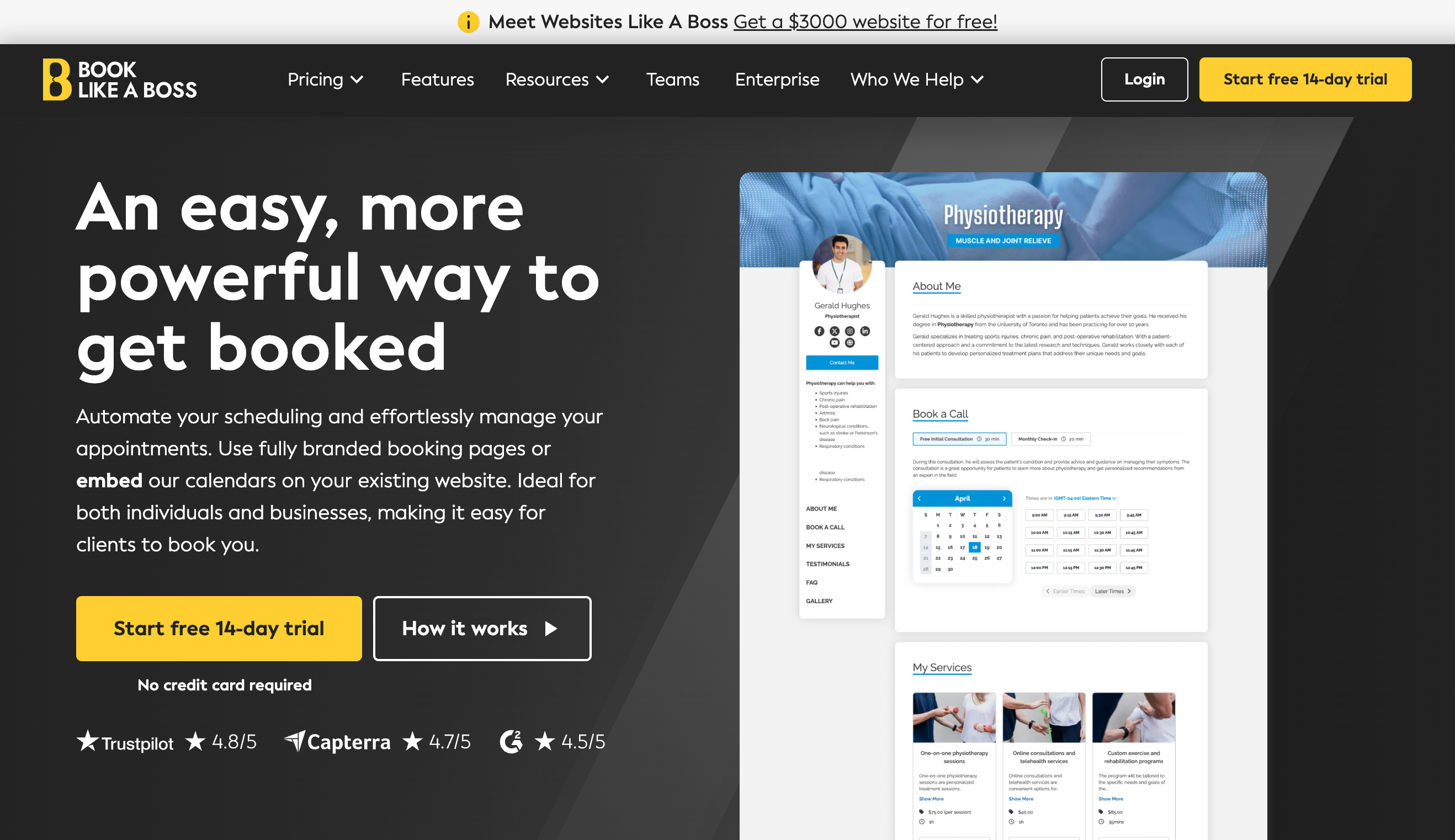
Consider a life coach who offers both one-on-one sessions and group workshops. By using Book Like a Boss, they:
-
Brand the booking page with their logo and color scheme
-
Separate services into individual, group, and package categories
-
Add a friendly welcome note and expectations
-
Include optional add-ons for premium support
The result? Clients feel confident, understand the offerings, and the coach can manage bookings more efficiently.
Platform Tips for Branding
Here’s a quick rundown of popular tools and what they allow for customization:
-
Book Like a Boss: Fully branded booking page, service categories, optional add-ons
-
SimplyBook.me: Custom themes, color schemes, branded emails, custom fields
-
HoneyBook: Client portal branding, automated branded emails, forms integrated
-
TidyCal: Simple branding options for logo and primary color, quick setup
When choosing a platform, consider which features matter most for your client experience and brand presence.
Best Practices
-
Keep the page clean and intuitive
-
Use concise, friendly language
-
Test the booking flow yourself before going live
-
Update your page as services, prices, or policies change
-
Make mobile responsiveness a priority—many clients will book from their phone
Final Thoughts
Customizing your booking page is about more than style—it’s about client engagement, trust, and efficiency. With the right tools and attention to detail, your booking page can become a seamless extension of your brand and a powerful revenue driver.
If you want to see which booking platforms let you fully brand your page and simplify client engagement, check out our full comparison of scheduling tools.